 ecbyts
Updated
Preview the forest asset dossier from stand to seal
About 5 min read
- Guide
- Audio
The Forestry panel already opens in ecbyts as a preview, without calculating anything. The nine-step tour becomes available when the module, still under development, is released. Fictitious data.
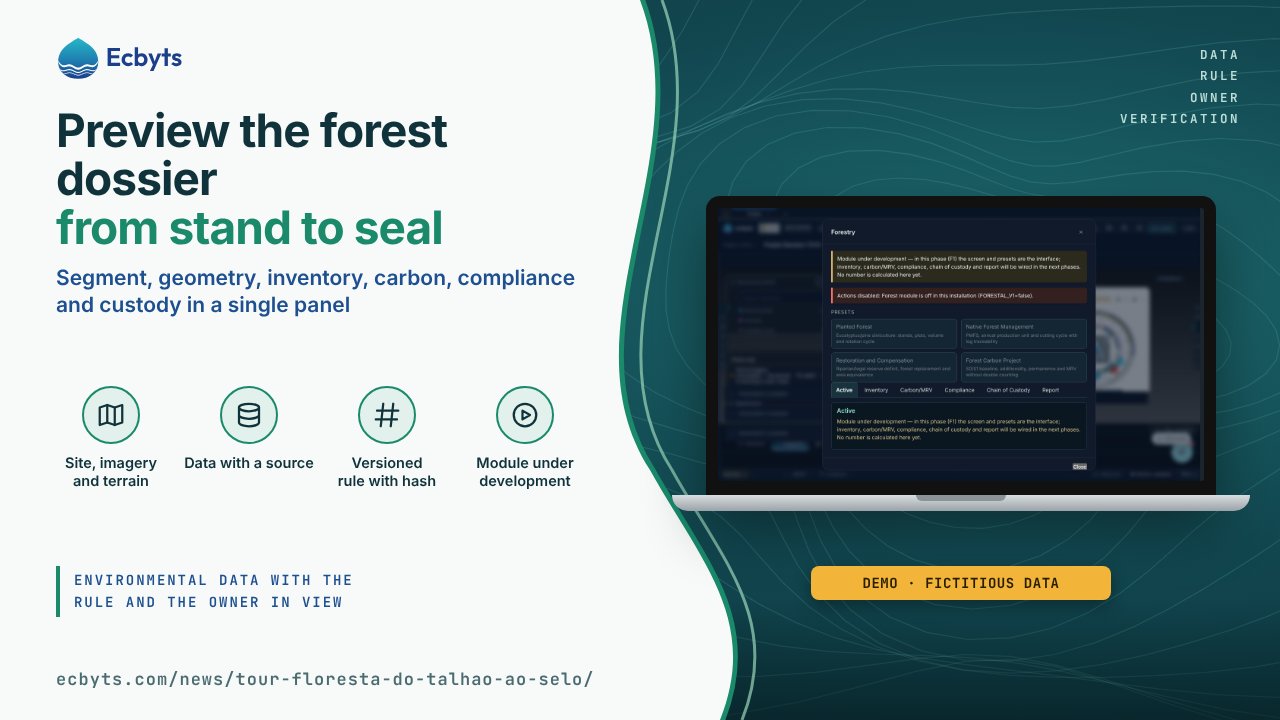
To make the case for a forest asset, the area, Brazil's Rural Environmental Registry (CAR), the inventory, the license, the origin of the timber and the report all have to tell the same story. The Forestry module in ecbyts is designed to bring this dossier together in a single panel, with every number pointing to the plot, the rule and the version that produced it. The module is under development: today the panel opens as a preview of the interface, without calculating any number, and the Forest: from stand to seal tour becomes available when the module is released.
What the tour shows, step by step
The walkthrough has nine steps and describes the module once it is switched on; on the site, the actions in the panel stay disabled until the release. The tour starts from the path that exists in the product, menu More > Forestry, without changing the 3D scene, and goes through the tabs in the order in which the dossier is assembled.
- Where to start. The tour points to the path in the menu, More > Forestry. The click is yours, and that is how the panel opens.
- Start with the property segment. At the top of the panel are the four segments: planted forest, native forest management, restoration or compensation, and carbon project. The segment defines which calculations come into play: a eucalyptus stand does not follow the same rules as a Brazilian Sustainable Forest Management Plan (PMFS).
- Property and stand geometry. The first tab of the panel (shown as Active) holds the asset data: stand, polygon, CAR/CCIR and coordinates in EPSG:4326. The width of the watercourse sets the Permanent Preservation Area (APP) strip at 30, 50, 100, 200 or 500 m (Brazilian Law 12.651/2012, art. 4, I), and a stand above 4 ha needs a polygon. Without geometry, the result is inconclusive, never "compliant".
- Inventory: plots become cubic metres. The spreadsheet comes in through the real import path and goes through a declared volume equation, with name, version and source next to the result. Diameter at breast height (DBH), height, form and assortment produce volume per hectare, and the extrapolation to the stand carries the sampling error. An invalid row is rejected with its number and the reason, never mapped silently.
- Carbon and MRV with a versioned methodology. MRV stands for monitoring, reporting and verification. Biomass, carbon stock and tonnes of CO₂ equivalent (t CO₂eq) come from the carbon engine that already exists, with a declared methodology, and a methodology is not independent verification. The S0/S1 baseline scenario, additionality, permanence and leakage go into the audit package. Double counting is blocked by the chain of custody, not by a parallel spreadsheet.
- APP and Legal Reserve with a sourced rule. The compliance check computes the APP from the width of the watercourse and the Legal Reserve by biome and region (80, 35 or 20 % in the Legal Amazon; 20 % elsewhere), with the fiscal module and the cut-off date. Every rule carries its source and version. The verdict is compliant, liability or inconclusive, and a missing fact always leaves the result inconclusive.
- Custody chain: lot, log and DOF+. Each lot or log is a hash-chained record, with stand, polygon, Forest Origin Document (DOF+) or Autex, transport and industry. A lot without origin or without a DOF does not close a complete package, and the dossier itself flags duplicates and double counting.
- Report, DDS and seal, no number without origin. The report assembles sections from the engines, and every number carries the module and the version it came from. The package for the European regulation on deforestation-free products (EUDR) is evidence and states explicitly that it does not replace the official due diligence statement (DDS) of the European Union. On the seal, a third-party attestation (document, scope and validity) is different from a self-declaration: marks such as FSC or PEFC only appear with all three pieces of information, and without them the declared attestation remains.
- Close without saving anything. Close (or Esc) ends the visit. Once your data is in the model, the same path More > Forestry opens the panel with the context of your project, and the tabs receive the real calculations.
What this tour is not
The tour is a guided visit to an interface with fictitious data.
- It does not open on the site yet: the Forestry module is under development, and the panel as it stands today states that no number is calculated.
- It is not a legal opinion and does not replace the environmental agency.
- It does not issue a seal and does not promise a license.
It teaches you to read the dossier: where each number comes from, which rule supports it and what is missing for the result to stop being inconclusive.
How to practice
Today, open ecbyts and follow the menu More > Forestry to see the panel, with the four segments, the six tabs and the notice that the module is under development. The link Open the tour starts the walkthrough once the module is released; until then, it opens ecbyts and reports that the tour could not be opened. The walkthrough takes about seven minutes and uses a demonstration model with fictitious data.