 ecbyts
Updated
Subscribe to Pro: check the price, the cycle and the guarantees before you pay
About 3 min read
- Guide
- Video
- Tour
Read the price in reais, the monthly or yearly cycle, the cancellation terms and the payment screen before anything is charged. Nothing is charged during the walkthrough.
ecbyts is a platform for organizing environmental data in a digital model: sites, wells, sampling campaigns, results and documents. Check the features and limits of each plan in the plan catalog. Before subscribing, check three things on screen: the selected billing cycle, the total and the cancellation terms. This walkthrough shows where to find each one.
The How to subscribe to Pro tour answers that on the purchase screen itself, in about three minutes. It opens the plans and the payment screen and stops at the Pay button. The demonstration uses fictitious data and makes no charge. To try it before creating an account, open the guided tour.
The video below is a demonstration with fictitious data from an earlier version: useful to recognize the screens, not proof of every effect in the current walkthrough. Use the guided tour link to practice.
Demonstration and real subscription
In this tour you practice reading the plans and the payment screen with fictitious data. The steps below also describe a real subscription: the login request and the confirmation with the provider belong to that flow. The exercise ends before opening the provider or creating an order.
When you finish, check that you can find the billing cycle, total and payment method without relying on the tour balloon.
What the tour shows, step by step
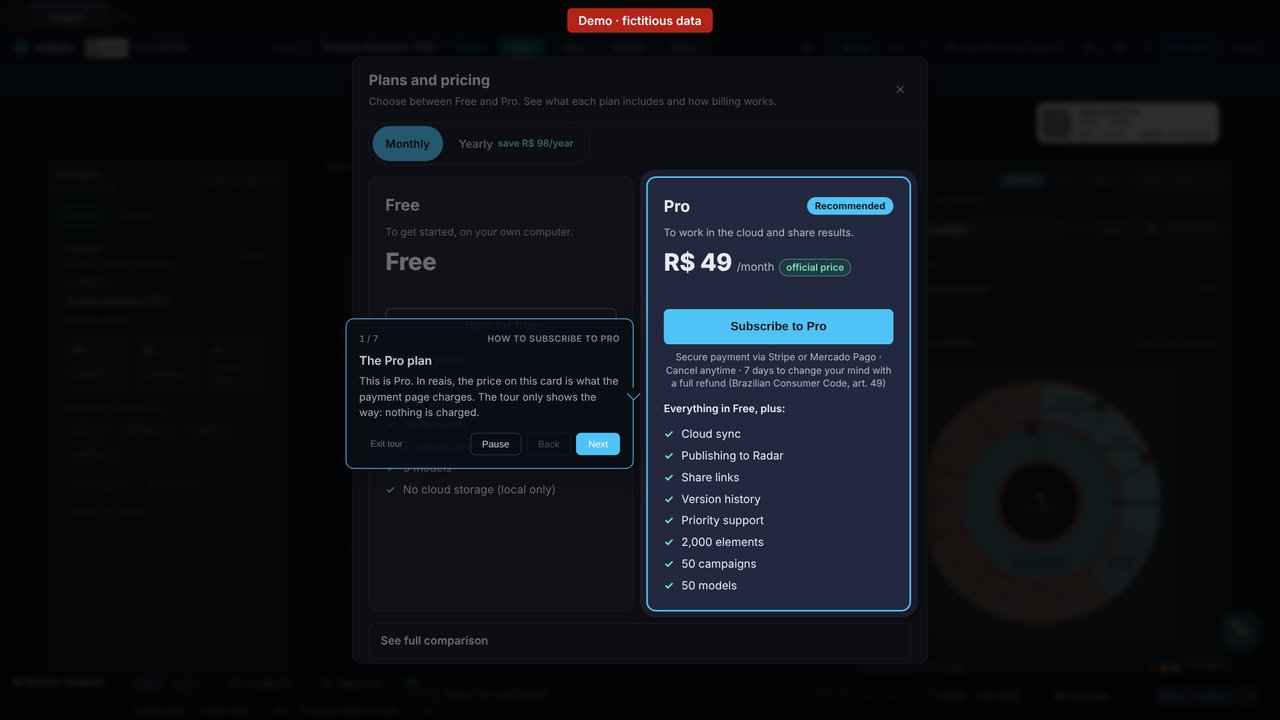
- The Pro plan. In reais, the price on the Pro card is what the payment page charges.
- Monthly or yearly. You click Monthly or Yearly. Monthly renews every month; yearly is paid once, upfront, with no automatic renewal. Your choice carries over to the payment screen.
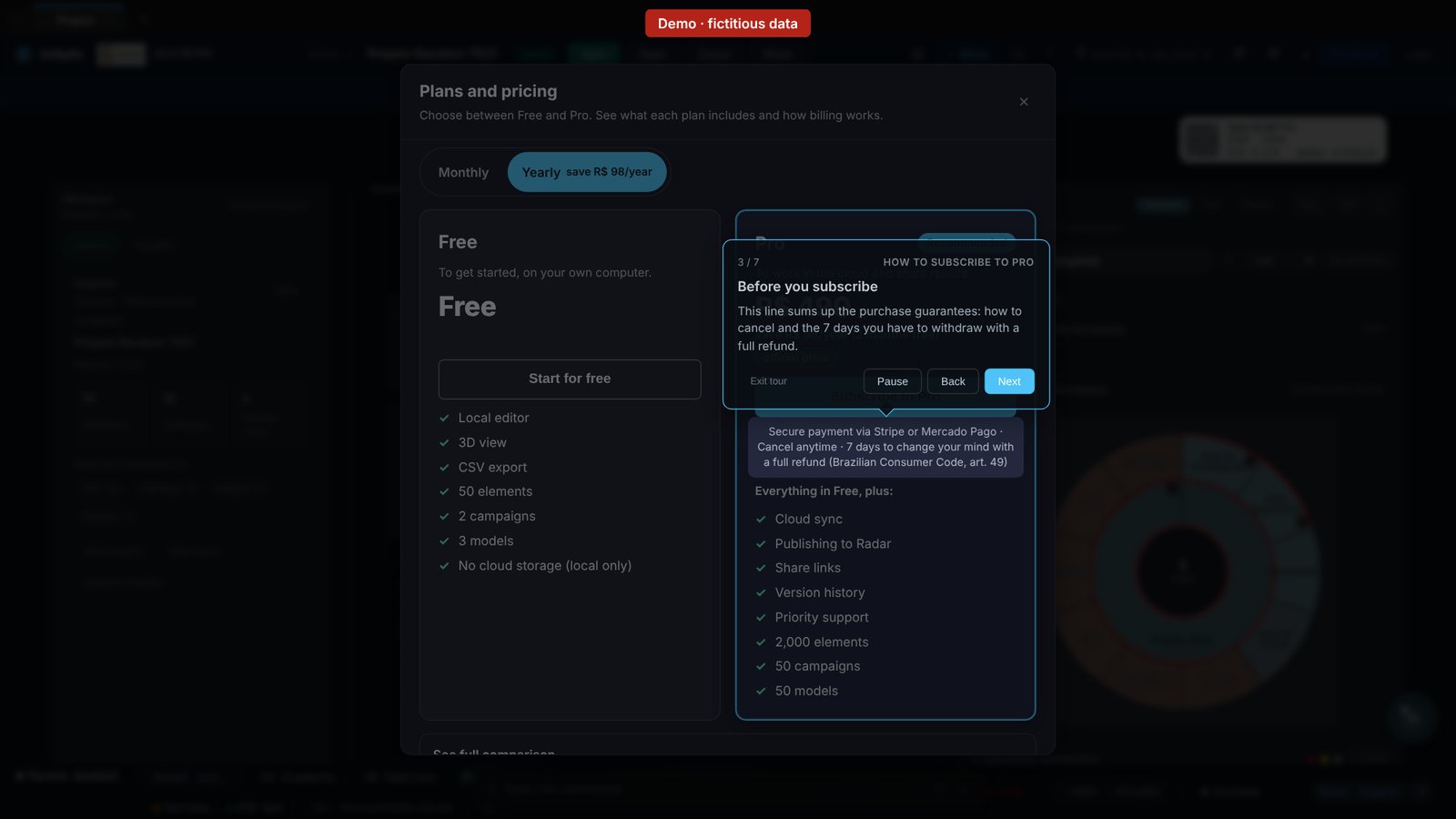
- Before you subscribe. Read the published cancellation and refund terms below the button and in the catalog, including the stated 7-day period. The tour does not perform cancellation or refund.
- Subscribe to Pro. For a real subscription, this button starts the process; without an account, it asks you to log in and reopens the plans. In the demonstration, click Next in the tour to open the payment screen.
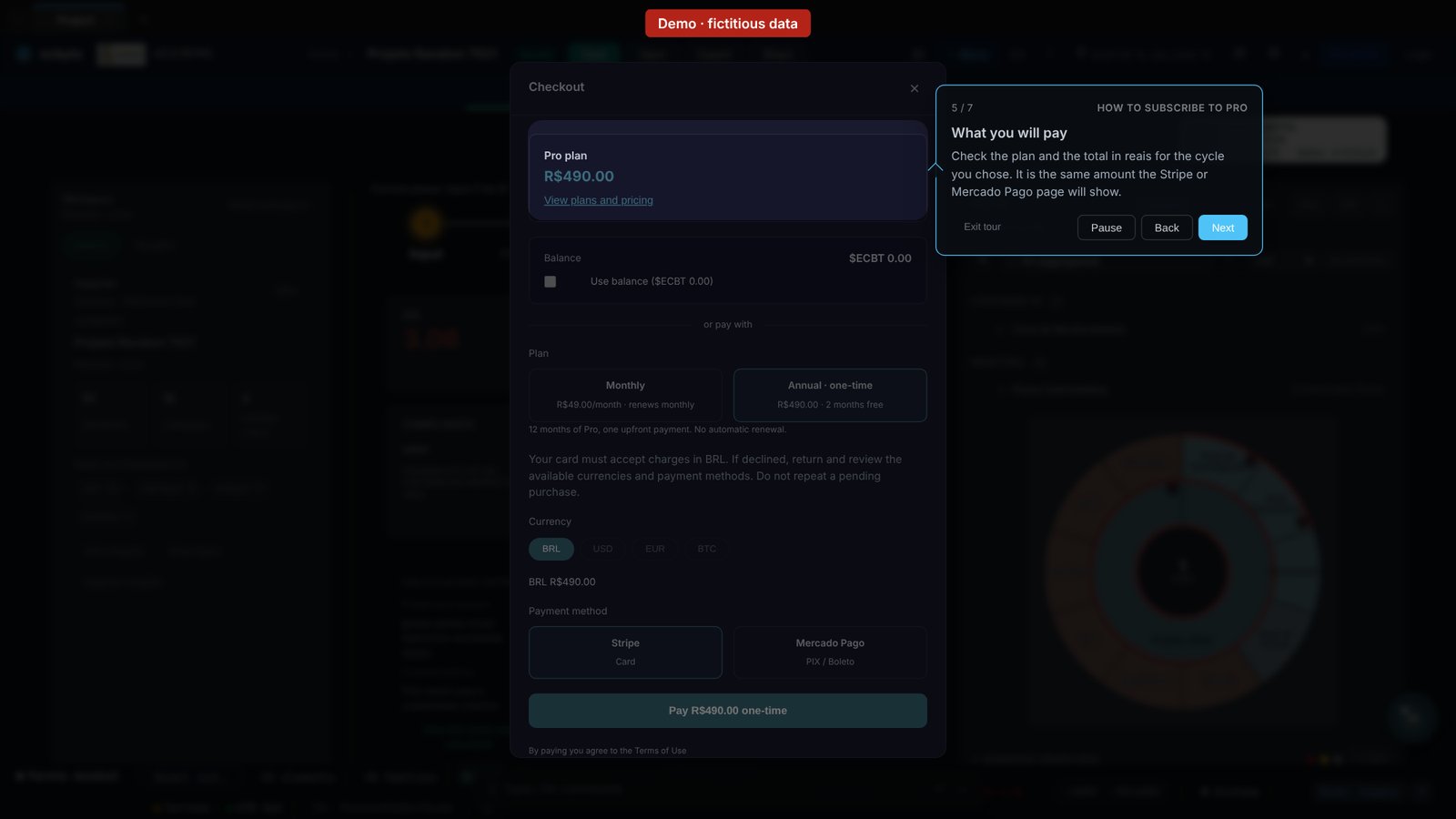
- What you will pay. The payment screen shows the plan and the total in reais for the chosen cycle, before continuing. For a real subscription, also check the total on the Stripe or Mercado Pago page; the tour does not open that page.
- How to pay. You click the option you'll use, even if it is already selected: Stripe (card) or Mercado Pago. For a real subscription, payment continues on the selected provider's secure page; your card details stay there.
- Pay: understand the next step. In a real subscription, this button opens the provider's page, where you confirm payment. Without an account, the app asks you to log in and reopens the same screen. In the demonstration, the tour only explains this button and ends with the screen open; it does not send an order to the provider.
What stays outside the walkthrough
The exercise subscribes you to nothing, creates no order and never opens the provider's page. The cancellation and withdrawal terms are the ones published in the plans catalog and on the payment page itself; the tour only points to where they are.
How much it costs
The tour is free and requires no sign-up. The Pro plan costs R$ 49 per month or R$ 490 per year, under the terms published in the plans catalog.