 ecbyts
Updated
Environmental cost estimates: understand the number before the accounting decision
About 4 min read
- Guide
- Video
- Tour
Read the remediation and monitoring estimate before it reaches accounting: where the cost came from, which assumptions it uses and which range the model calculated.
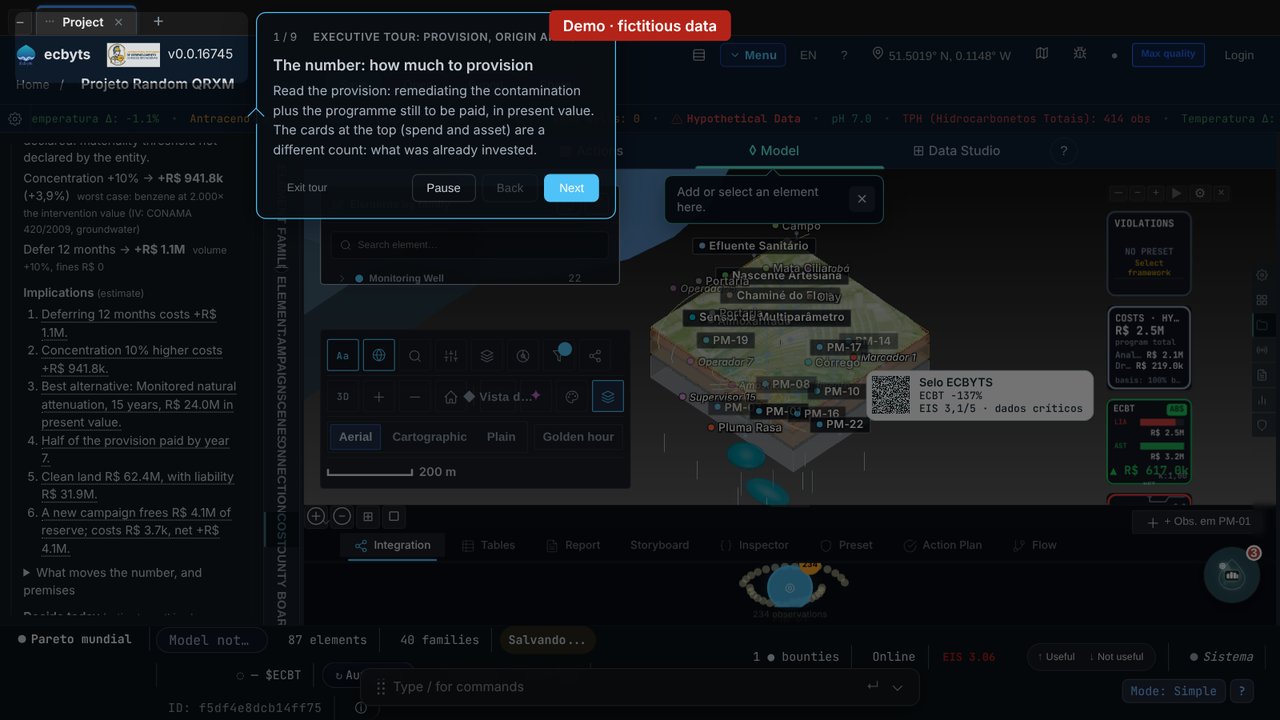
An obligation to remediate or monitor a site may require an accounting provision, but contamination alone does not determine recognition. IAS 37 distinguishes provisions from contingent liabilities based on the obligation, the probability of an outflow of resources and whether the amount can be estimated reliably. The ecbyts finance module organizes a cost estimate from field data and model assumptions. The tour teaches you to understand and review that estimate before submitting it for accounting assessment.
The tour Executive tour: provision, origin and seal uses a demo model with hypothetical data and takes about five minutes. Nothing is issued or charged. To try it before creating an account, open the guided tour.
The video below follows the current tour, with fictitious data and captions. To practice, use the guided tour link.
What to check as you practice
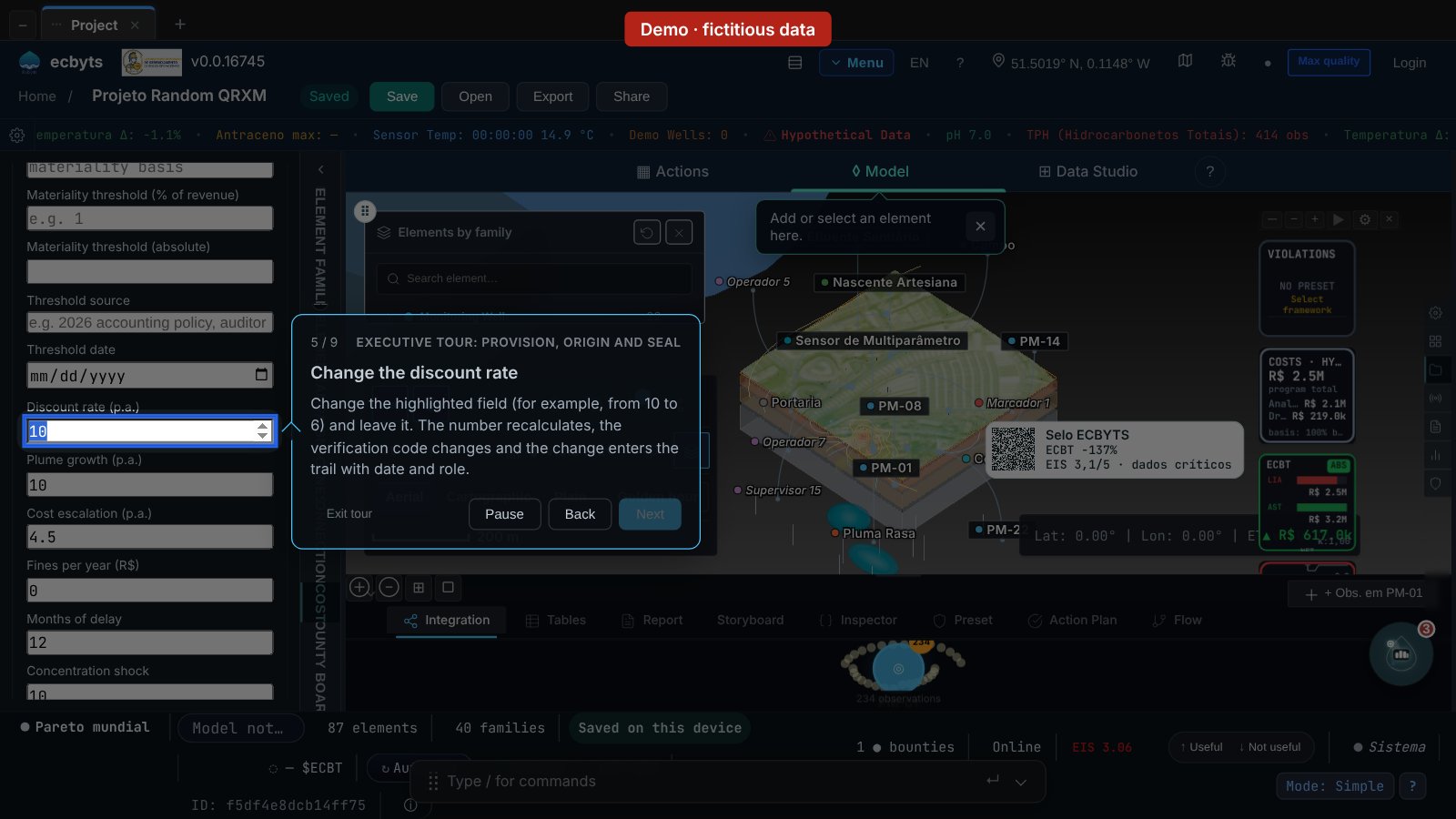
Before changing the rate, locate the amount, base date and assumptions suggested by the tool. After the change, compare the result and check the change record. This exercise introduces sensitivity: changing an assumption can change the estimate. By the end, you should be able to explain where the number came from and what still needs review.
What the tour shows
- The number: the cost estimate. Read the present value of remediation and monitoring, the range calculated by the model and the stated obligation type. The range depends on assumptions; it does not guarantee the final cost.
- The breakdown. See how the model presents the effects of a delay, a higher concentration and a different alternative or timeline, alongside the schedule, land value and the effect of a new campaign. These outputs depend on data and assumptions; no reserve is automatically released.
- Where the number comes from. Six links: field observation, exceedance of the legal limit and land-use scenario, worst reading-to-limit ratio, plume, cost per technology and present value.
- Assumptions: yours or the tool's. Rate, exchange rate, base date and obligation type. Whatever the company does not declare enters as a value suggested by the tool, and the sheet says so. Same assumptions, same verification code.
- Change the discount rate. Changing the highlighted field (for example, from 10 to 6) recomputes the number, changes the verification code and records the change in the trail with date and the role of whoever changed it.
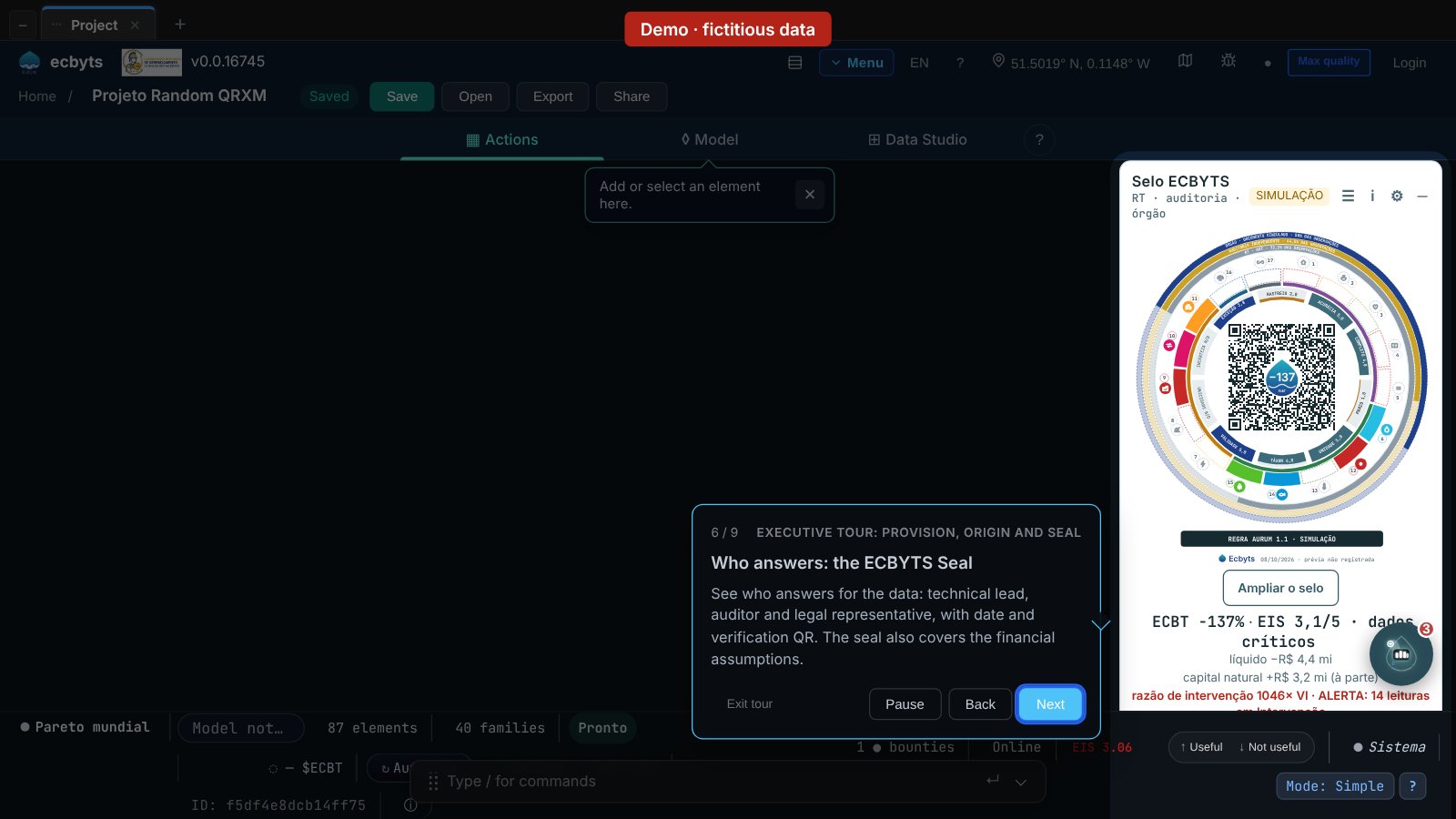
- Who answers: the ECBYTS Seal. Technical lead, auditor and legal representative, per data set, with rule version and a verification QR code.
- Data changed, seal outdated. The tour presents a visual example of the warning an issued record can show when data change. The example does not modify a public seal or prove issuance. The tour steps do not issue records or charge credits.
- What this number is not. A tool estimate: not an expert report, technical opinion or accounting opinion, and not approved by management. A draft note, when available, still requires accounting review and formal approval.
- Next step. Use Declare premises and Executive summary (PDF) at the end. The area also shows Provision note (when available) and Issue seal. Taking the summary to the accountant is a step outside the application.
Where the tool stops
The amount shown is an estimate produced by the tool from the assumptions on screen; the app can generate a draft provision note when sufficient data are available. The accountant's review and the formal approval happen outside the app. The seal summarizes the data version and who answered for it, and gives no validation of the study. The demo model's numbers are hypothetical.
What it costs
The tour is free and needs no sign-up. The Pro plan costs R$ 49 per month or R$ 490 per year, under the terms published in the plan catalog.
Open the executive tour of the finance module · See the Tour Trail