 ecbyts
Credits wallet and model library: two short tours to find your way
About 2 min read
- Guide
- Tour
Two tours of about two minutes show where to see your credits balance and how to browse the library of shared models in ecbyts.
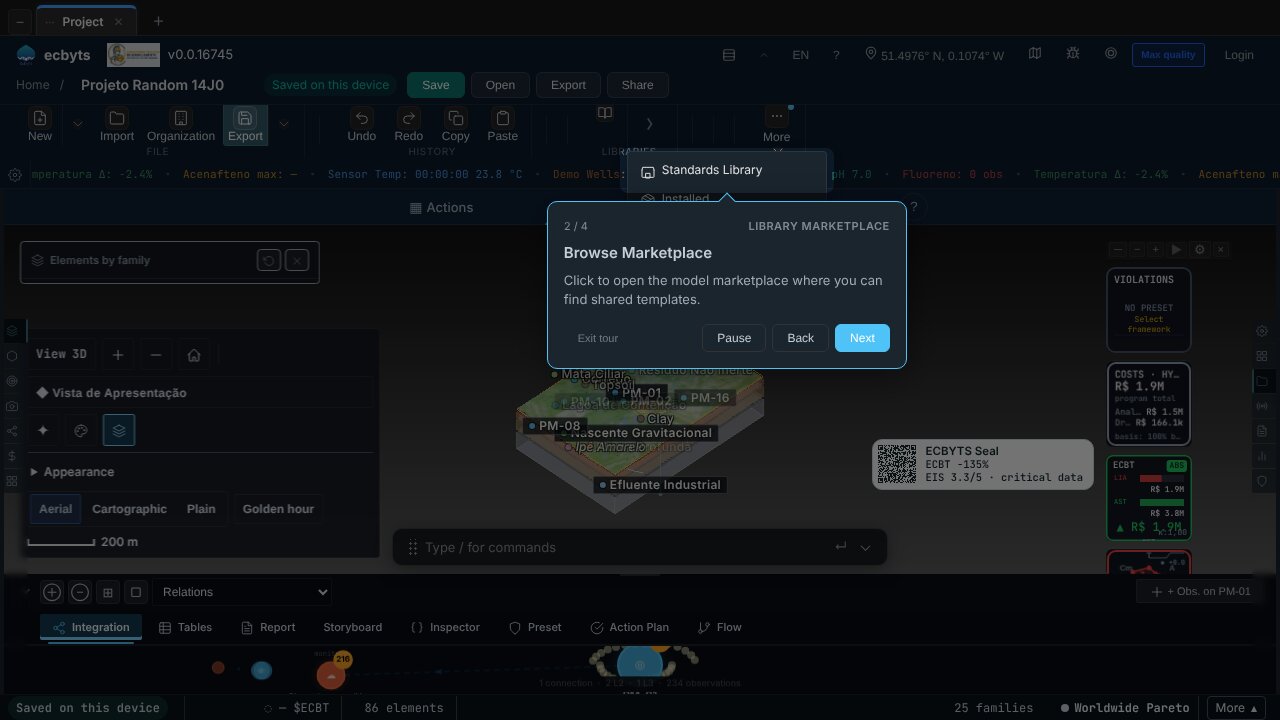
Anyone using ecbyts day to day in a consultancy or an environmental study soon asks two things: where is the credits balance used by AI features and app services, and where to find ready-made models, such as project templates and educational examples, instead of building everything from scratch. The two tours below answer both by showing the path in the interface.
Credits, in ecbyts, are the wallet balance, called $ECBT, consumed by features such as the AI ones. The library is the catalog of shared items, organized by category. The tours only point out where to click; they do not buy or subscribe to anything.
The tours in this topic
- Credits & Wallet (2 min). Shows the credits meter in the status bar, always visible, and opens the credits hub, where the statement, usage history and top-up options for the wallet live.
- Library Marketplace (2 min). Takes you to the Libraries panel, shows the button that opens the model marketplace and opens the catalog by category: templates, reference sites and educational examples.
The tours only show the screens; they do not buy, download or change anything in your account.
To see other guided paths, go back to the Tour Trail.