 ecbyts
Data governance in ecbyts: 14 tours on areas, submission, audit, alerts and integration
About 4 min read
- Guide
- Tour
Fourteen guided tours show, on the screen itself, how ecbyts registers areas, receives data packages, keeps the audit trail, alerts the team and connects to other systems.
Environmental data only counts in a decision if you can say where it came from, who sent it, who changed it and whether the file is the same one that was received. That is what data governance means: the set of rules and records that makes a number traceable. In ecbyts, this part of the work has its own screens: area registry, submission portal, audit trail, alerts and API.
This article gathers fourteen guided tours on the topic. Each one opens the real app screen, uses sample data and tells you where to click; you can do any of them without creating an account by clicking its name below. The times are estimates. What you save stays in the model open in your browser, and the AI assistant (env-21) sends your question to the AI provider you configured; when a step talks to the server, such as the test call to the API, the tour itself says so.
The tours in this topic
- Areas and geometries with explicit CRS (5 min). CRS is the coordinate system of the file. The tour imports shapefile and KML, shows why import is blocked without the .prj file, has you declare EPSG:4326 and checks the KML report.
- Areas: register, maintain and search (3 min). Lists the model's areas, searches by name, case number, company id or municipality and saves the case area's record on the polygon, without duplicating it if you repeat.
- Corporate account (OIDC) (2 min). Shows where the corporate sign-in lives, how the email domain selects the organization and the identity provider group selects the role, and why an identity can be refused or revoked. The tour does not sign you in.
- EDD submission portal (4 min). EDD is the electronic data package sent by the laboratory or consultancy. You send a sample package, receive a protocol, see the same package refused, resume as attempt 2 and look up the status.
- Error report for the sender (3 min). Each finding appears by file, sheet and row, with the suggested fix. The tour runs the profile again to show what was resolved, what persists and what is new, and exports the CSV for the sender to correct and resubmit.
- Audit trail (3 min). Reads who did what to which object, with the previous and new version, the history of one object and the access matrix: no role can edit or delete an entry.
- Logical entities in the Schema panel (3 min). In Data Studio, saved domain validators appear as logical entities next to the physical tables, with no SQL table created.
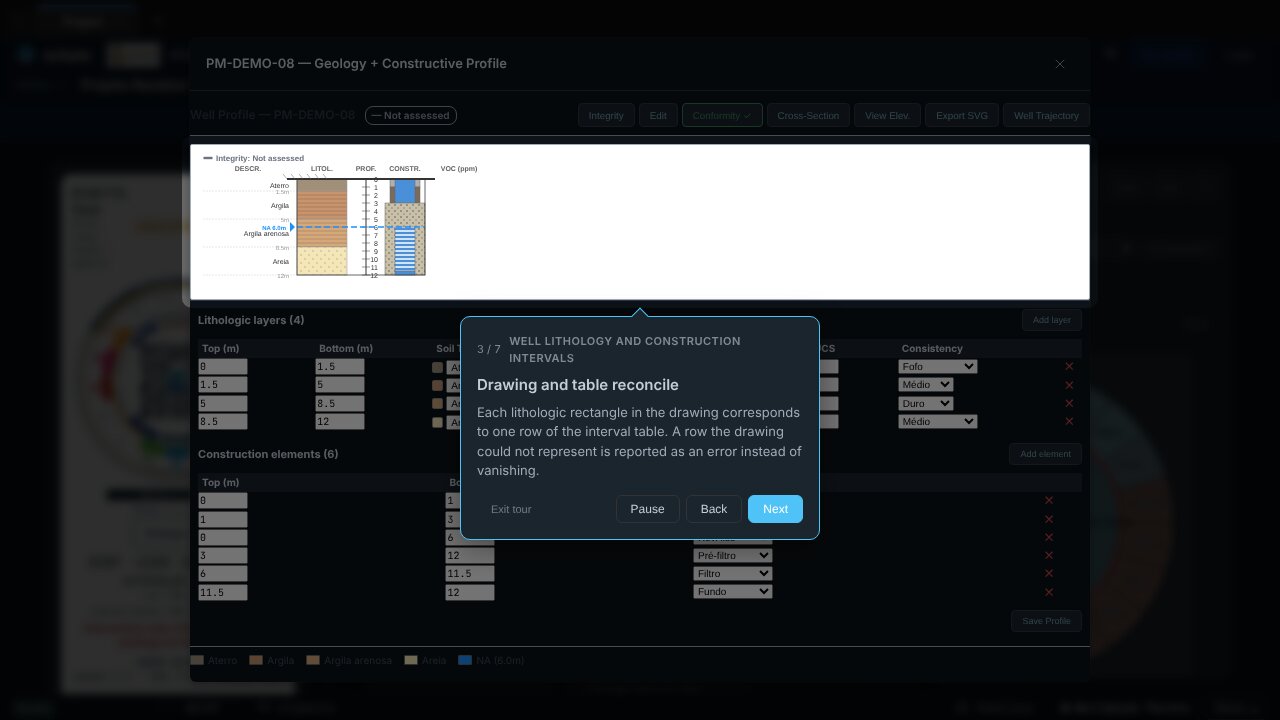
- Well lithology and construction intervals (4 min). Opens a well profile, shows the drawing and the table reconciled, provokes an invalid interval and lets you fix it before saving.
- Water-level series with explicit datum (4 min). Datum is the height reference of the measurements. You insert the hydrograph in the report and find the command that exports the series as TSV with datum, unit and origin.
- Risk assessment record with provenance (4 min). Stores a sample risk scenario, computes when you click, shows where the numbers came from and restores the record from the model without recomputing.
- Alerts and notifications (3 min). Shows where submission, error, review and deadline events arrive, how the email channel is labelled in test mode and how to switch a type or channel off.
- Integration API: contract v1 (4 min). Shows where the REST reference is, how a caller authenticates, what a real call without credentials looks like (refused with 401) and what version 1 deliberately does not do.
- SaaS or self-hosted (3 min). Tells the hosted service from a self-hosted installation, checks the instance's backend and shows the installer command, with update, backup and limits.
- Language and AI assistant (3 min). Switches the interface between Portuguese, English and Spanish and asks the assistant about the loaded model; the answer is a suggestion and the model only changes by your action.
For the suggested order of a first contact with the app, follow the Tour Trail.