 ecbyts
Bring data into the model and check it before merging: nine guided tours
About 3 min read
- Guide
- Tour
From the lab file to the model, nine tours show how to import spreadsheets, EDDs and historical data, and what to check before saving.
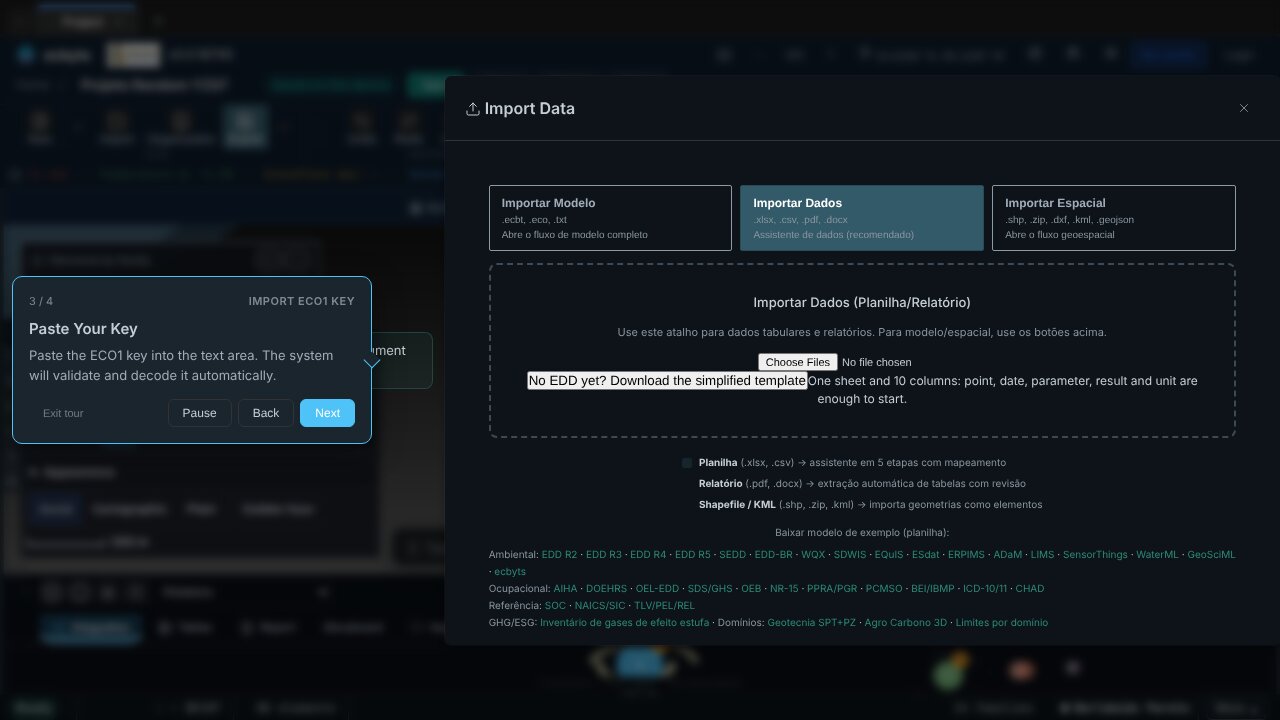
Almost every environmental study starts with a file that came from outside: the laboratory spreadsheet, the report of an old study, years of monitoring history. Bringing that material into the model is easy; the hard part is knowing what went in, what was refused and what repeated. That is why the tours in this theme stop, at each stage, at the check before merging.
An EDD (Electronic Data Deliverable) is the standardized spreadsheet format in which laboratories and agencies exchange locations, samples and results. Several tours below use a sample EDD to show how the wizard reads the file, maps each column to a model field and shows the preview with counts before saving.
The tours in this theme
- Import ECO1 key (2 min). Open the importer, paste an ECO1 key and restore the model with its elements, observations, campaigns and scenes.
- EDD designer: schema, template and version (8 min). See two sample EDDs in the Files module, design a versioned schema, compare two fields of the same record, export the CSV template and test received data.
- Environmental data entities from an EDD (4 min). Import a laboratory package and see where points, campaigns, samples and results live, and how to check the counts before trusting the model.
- Document inventory (3 min). In the Files tab, list, filter, tag and re-import project documents. The tour also says what the inventory does not keep yet, such as file version and license.
- Historical data migration (4 min). Map the columns of an old spreadsheet, convert units, read the preview of what goes in, what repeats and what is refused, then apply the batch and undo it.
- Lines, polygons and historical batches (4 min). Import a batch with geometries, read the reconciliation report and reimport the same file without duplicates, thanks to stable identifiers.
- Pre-validation before promotion (3 min). Run the schema rules on incoming observations and read the balance: total equals clean plus flagged, with unevaluated rows explained.
- Post-import QA/QC decisions (4 min). Review censored values, duplicates and other flags and record a human decision, with a reason, for every finding. Nothing is discarded silently.
- Same selection in map and SQL (6 min). Filter by parameter and matrix in the interpolation panel and reproduce the same selection in Data Studio with campaign_id and matrix, so map and table tell the same story.
The tours use sample data. To see the rest of the app's path, read the Tour Trail.